Owlbear Rodeo vs Roll20: Which Virtual Tabletop Fits Your Table?
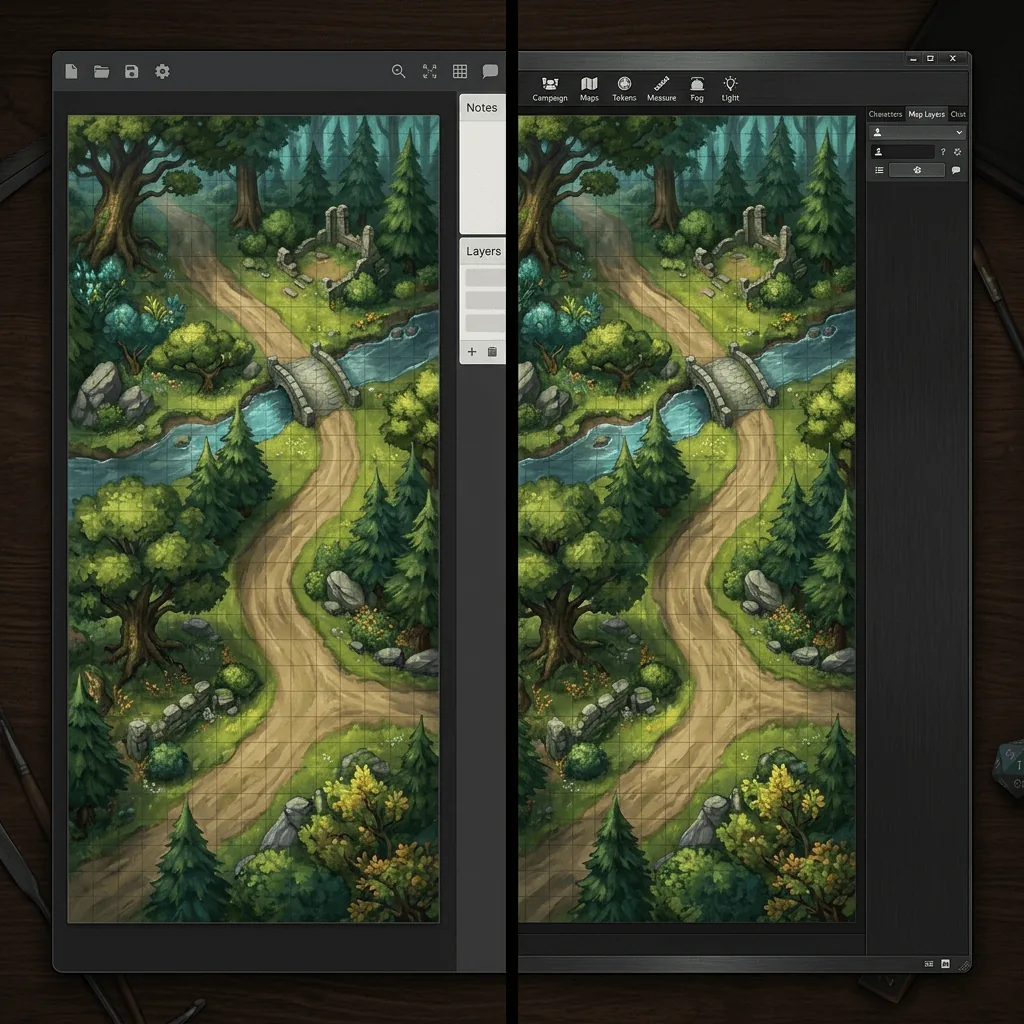
These two virtual tabletops get compared constantly and the comparison usually goes badly, because people treat them as competitors for the same job. They are not. Roll20 is a full game platform that wants to run your rules, your character sheets, your dice, and your campaign. Owlbear Rodeo is a shared map with tokens on it, and almost everything else is deliberately left out.
Once you see the difference in intent, the choice becomes easy. Here is the head to head, then the recommendation by table type.
Is Owlbear Rodeo better than Roll20?
For a table that wants a shared map with tokens and nothing else, yes. Owlbear Rodeo starts in seconds, needs no accounts for players, and has almost no learning curve. For a table that wants character sheets, automated dice and rules, compendium content, and a persistent campaign hub, Roll20 is the more capable platform and Owlbear Rodeo does not try to compete. The real question is whether you want a virtual tabletop or a virtual table.
Head to head
| Owlbear Rodeo | Roll20 | |
|---|---|---|
| Free tier | Generous, full core features | Generous, most core features |
| Paid tier | Low monthly cost for storage and extras | Subscription tiers plus a paid content marketplace |
| Setup time for one map | Under a minute | Five to fifteen minutes |
| Learning curve | Almost none | Real, expect a session or two |
| Player accounts | Not required, join by link | Account required |
| Character sheets | None built in | Extensive, system specific |
| Dice and rules automation | Basic dice | Deep, with macros and sheet integration |
| Fog of war and lighting | Yes, simple and fast | Yes, more configurable |
| Map import | Drag and drop, set rows and columns | Upload, set page units, align |
| Universal VTT (.dd2vtt) support | Via extension | Via extension |
| Mobile and tablet | Works well in a browser | Usable but cramped |
| Content marketplace | Small | Large, including official books |
| Best for | Fast prep, hybrid tables, one shots | Long campaigns, rules heavy systems |
What Owlbear Rodeo is genuinely better at
Time to first map. This is the headline. Open a room, drag an image in, tell it how many columns and rows, send the link. Your players are looking at the map before Roll20 has finished loading a new campaign. For a Game Master who preps at 6pm for a 7pm game, that difference compounds every single week.
Getting players in. No account, no invitation flow, no tutorial. A link in the group chat and everybody is on the board. For one shots, conventions, and tables with players who are not hobbyists about software, this removes the entire onboarding problem.
Staying out of the way. Nothing on screen except the map and the tokens. Tables that run their rules on paper or in their heads find Roll20's sheet and macro layer to be overhead they never asked for, and Owlbear simply does not have it.
Hybrid play. Because it is lightweight and works well on a tablet or a laptop driving a screen, it is the common pick for tables that play in person with a display in the middle. Our Owlbear Rodeo setup guide covers that import in detail, and our TV battle map guide covers the hardware side.
What Roll20 is genuinely better at
Character sheets and automation. This is the real reason tables stay. A rules heavy system where attacks, saves, and resources live on a sheet that rolls itself removes a constant source of friction, and Roll20 supports a very long list of systems.
Campaign persistence. Roll20 campaigns are containers: every map, handout, token, journal entry, and sheet lives in one place across a two year campaign. Owlbear rooms are lighter and less structured by design.
Official content. If you want to buy an adventure and have its maps, monsters, and text drop into your game preconfigured, Roll20's marketplace is the largest of the two by a wide margin.
Configurability. Dynamic lighting, macro scripting, API access on paid tiers. The ceiling is much higher, and if you enjoy building systems, that ceiling is the point.
Map handling, side by side
Both platforms take an image and draw their own grid over it, so the import problem is the same in both: get your map scaled so one map square equals one page square.
In Roll20, set the page size in units to match your map in squares (a thirty by twenty map becomes a thirty by twenty page), upload to the map layer, and stretch the image to fill the page. The default is 70 pixels per unit, which is why so many maps ship at 70 or 140 pixels per square. Our Roll20 map walkthrough covers the whole flow.
In Owlbear Rodeo, you import the image and tell it how many columns and rows the map is. It works out the rest. This is the shorter path, and it is representative of the two products generally.
Both are happiest with gridless map images, because a grid painted into the art will fight the software grid and you will spend your prep time nudging a corner handle. Our comparison of gridded and gridless maps explains why, and both platforms can consume .dd2vtt files through an extension, which carries wall and door data along with the image so lighting sets itself up.
Price in practice
Both have free tiers that a real table can run on indefinitely. The difference is what you hit first.
On Owlbear Rodeo, the limit you notice is storage and the extras behind the paid tier, and the monthly cost is small enough that most tables who use it weekly just pay it.
On Roll20, the free tier is surprisingly complete, and what pushes people to subscribe is usually dynamic lighting, storage, or the desire to buy official content. The marketplace is where the real spending happens, and it is easy to accumulate a library that costs considerably more than the subscription.
Neither is expensive relative to the hobby. Do not let price decide this one.
Which should you pick?
Pick Owlbear Rodeo if you run a light system or run rules off screen, your players are not software enthusiasts, you prep late, you play in person with a shared screen, or you mostly run one shots. Also pick it if you have tried a heavier virtual tabletop and quietly stopped using it, which is a more common story than the forums suggest.
Pick Roll20 if you run a long campaign in a rules heavy system, you want character sheets that do arithmetic, you buy official adventures, or you are the kind of Game Master who enjoys building macros. Roll20 rewards investment, and a campaign that is two years in is a different proposition from a campaign that is two sessions in.
Pick both if that sounds obvious rather than indecisive. A lot of Game Masters run their campaign in Roll20 and spin up an Owlbear room for the side game, the one shot, or the night the campaign tool is being slow.
If you are evaluating this because another platform is going away, our roundup of where to move your game in 2026 compares the wider field including Foundry and Fantasy Grounds.
The part that is the same either way
Whichever you land on, the map problem does not change: you need an image of the specific scene your session needs, at a usable resolution, without a grid baked into it. Text to Tabletop generates exactly that from a sentence, and exports .dd2vtt so walls and doors come along for the ride on either platform. Sign up for the Text to Tabletop app, use your 3 free tokens, and try the same map in both rooms.
Tyler V
Lead Developer and UX Designer at Text to Tabletop. Passionate about helping GMs and players create better TTRPG experiences.
Ready to Forge Your Next Battle Map?
Describe the encounter and get a grid-aligned, top-down battle map in seconds, then regenerate any area until it matches your vision.
Generate Your First Map Free3 free map tokens · no credit card required