Roll20 Map Generator
Describe the encounter you need and get a Roll20-ready battle map in seconds. Clean top-down perspective, no baked-in grid to fight with, and page-alignment that snaps to Roll20's grid on the first try.
Generate Your Roll20 Map →3 free maps, no credit card.

About the Roll20 Map Generator
Roll20's built-in marketplace is full of beautiful maps that never quite match the encounter you actually planned. Building your own from tile assets works, but it eats the prep hours you wanted to spend on story and stat blocks.
Text to Tabletop generates finished battle maps from a plain-English description. Type what you need - "a narrow mountain pass with a rope bridge and scattered boulders" - and the AI renders a top-down, tactically usable map you can upload straight to a Roll20 page.
Because the generator locks the camera to a strict 90-degree overhead view and strips out warped grid lines, the maps align cleanly with Roll20's native grid. Set your page to the map's cell dimensions, drop the image on the map layer, and you're playing in under a minute. If one section isn't right, select just that area and regenerate it without losing the rest of the map.
Example Creations
Real results generated with our AI tool.
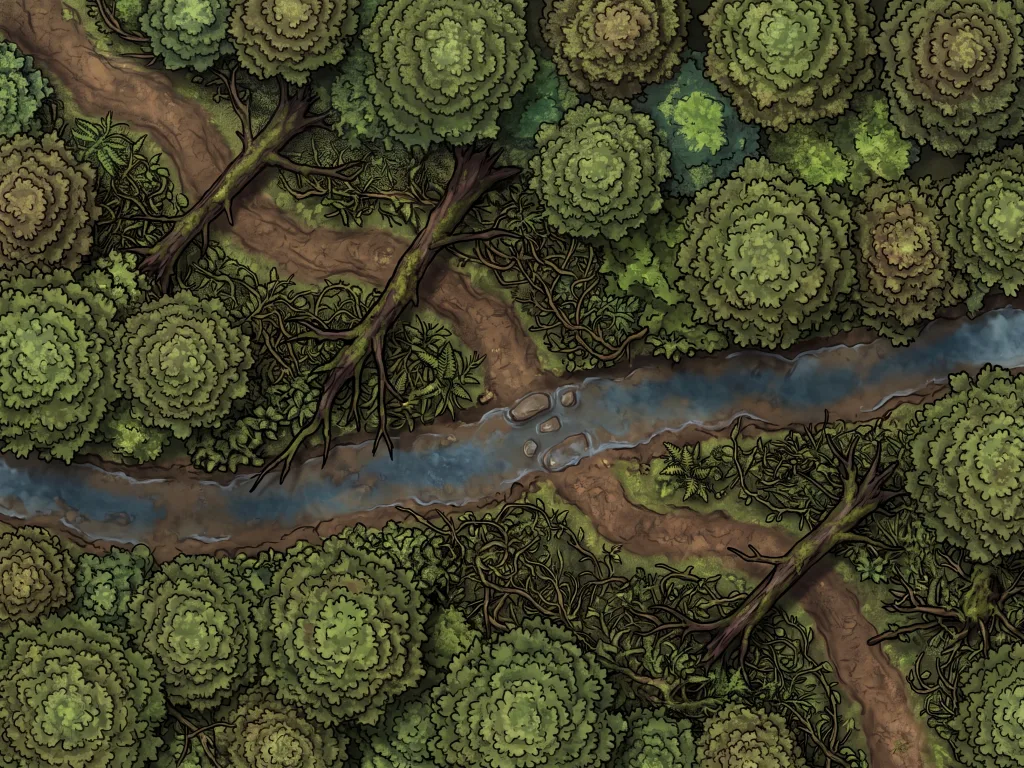
Goblin Ambush Forest Trail
Free download and prompt
"A narrow dirt trail winding through a dense, mossy forest. Fallen logs block parts of the path. Thick underbrush on both sides provides hiding spots. A shallow creek crosses the trail near the center. Dappled sunlight filters through the canopy. Top-down view, grid-aligned, battle map style."
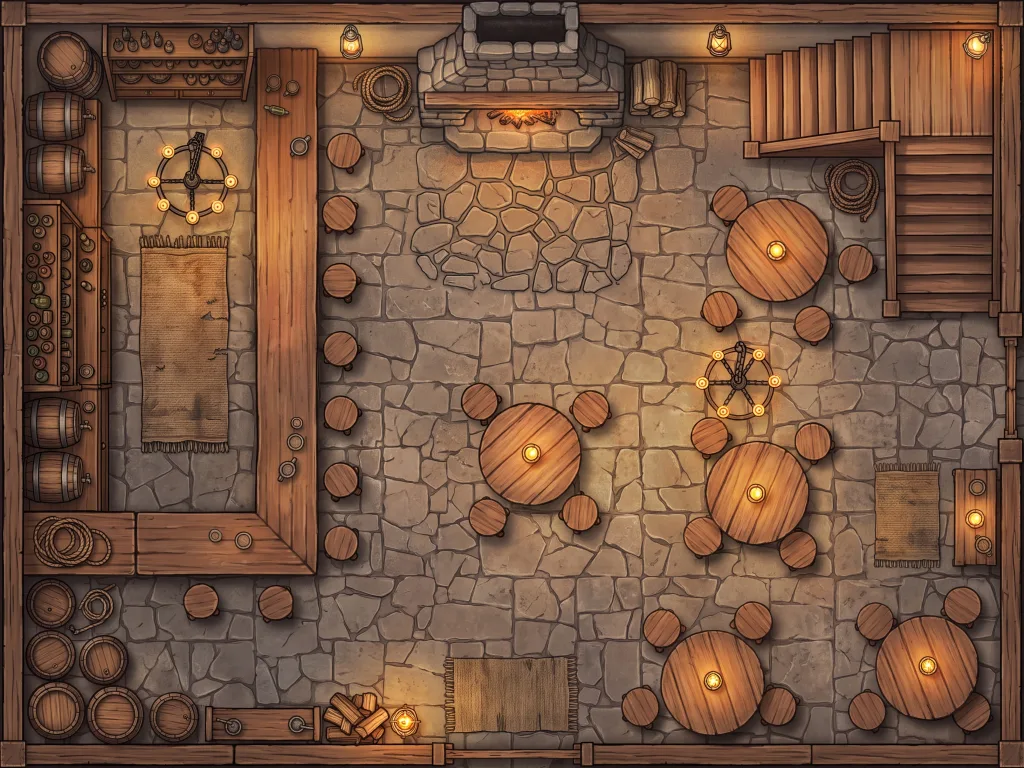
Candlelit Tavern Interior
Free download and prompt
"The interior of a cozy medieval tavern seen from above. A large stone fireplace dominates the back wall. Round wooden tables and chairs are scattered across the main room. A long bar counter runs along the left side with shelves of bottles behind it. A staircase leads to an upper floor in the far corner. Warm candlelight and lanterns throughout. Top-down, grid-aligned, battle map style."
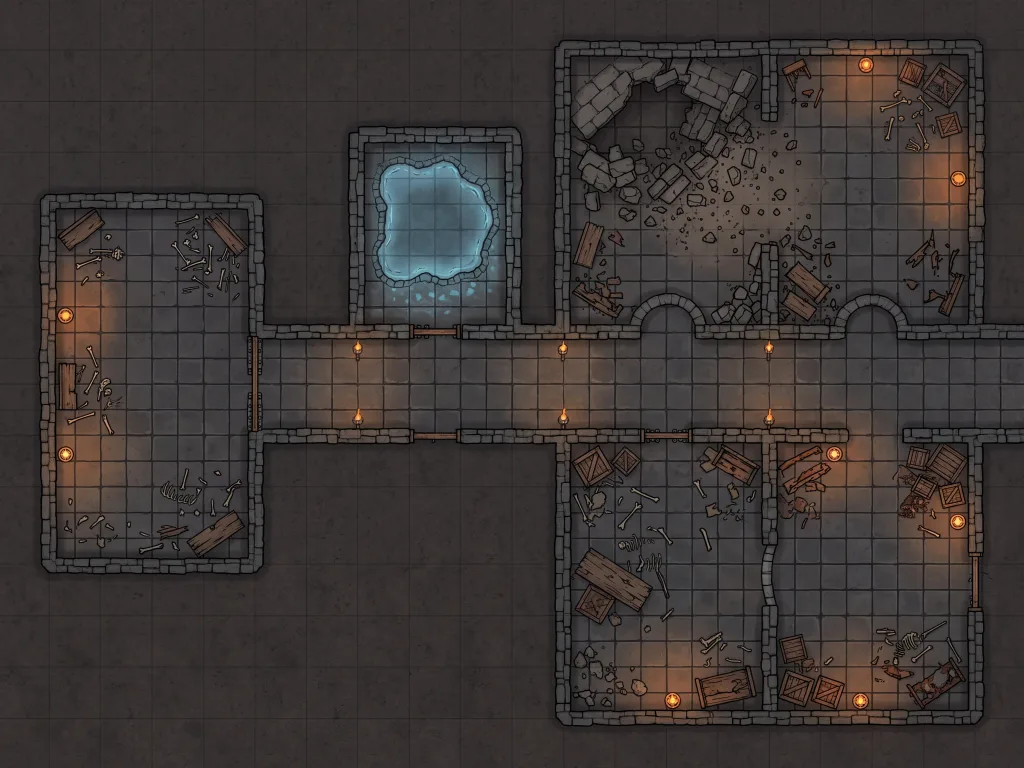
Ancient Stone Dungeon
Free download and prompt
"A multi-room underground dungeon carved from dark grey stone. A long central corridor connects four chambers of varying sizes. One room has a collapsed ceiling with rubble on the floor. Another has a shallow pool of water glowing faintly blue. Iron doors and archways connect the rooms. Scattered bones and broken furniture. Torches in wall sconces provide dim orange light. Top-down, grid-aligned, dungeon map style."
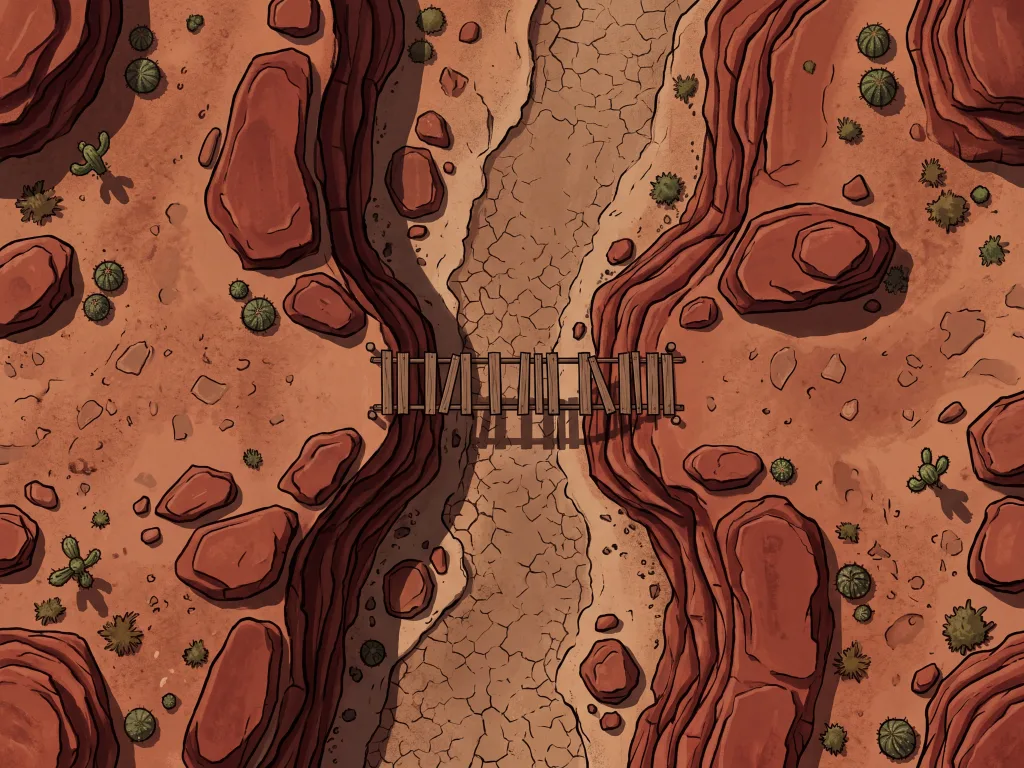
Desert Canyon Standoff
Free download and prompt
"A sun-scorched desert canyon with tall red rock walls on both sides. A sandy floor with scattered boulders and a dried-up riverbed running through the center. A rickety wooden bridge spans a narrow gap between the two cliff edges. Cactus and scrub brush dot the landscape. Harsh midday sunlight with deep shadows against the canyon walls. Top-down, grid-aligned, battle map style."
How It Works
Describe
Type your prompt describing the map.
Generate
Our AI processes your prompt instantly.
Refine
Adjust styles, grids, and variations.
Export
Download high-res formats for VTTs.
Use Cases
- Last-minute session prep - generate the map your players unexpectedly need while they take a snack break
- Custom encounter maps - environments that match your written encounter exactly instead of the closest marketplace approximation
- Campaign-specific locations - your homebrew city gate, your villain's throne room, your party's favorite tavern
- Map variants - the same location by day and night, in summer and winter, before and after the dragon attack
- Dungeon crawls - generate each level as a separate Roll20 page with consistent style across floors
- One-shots and convention games - a full evening's worth of maps generated in minutes, not weekends
Frequently Asked Questions
Everything you need to know about the Roll20 Map Generator.
How do I import a generated map into Roll20?
Will the grid line up with Roll20's grid?
What resolution should I use for Roll20?
Is this affiliated with Roll20?
Can I try it for free?
Do my tokens expire?
Can I edit a map after generating it?
Your Next Roll20 Map Is One Prompt Away
Stop hunting the marketplace for a map that almost fits. Describe the encounter you actually planned and play it tonight.
Try Text to Tabletop →