Dungeondraft Alternatives: 5 Map Tools That Trade Control for Speed
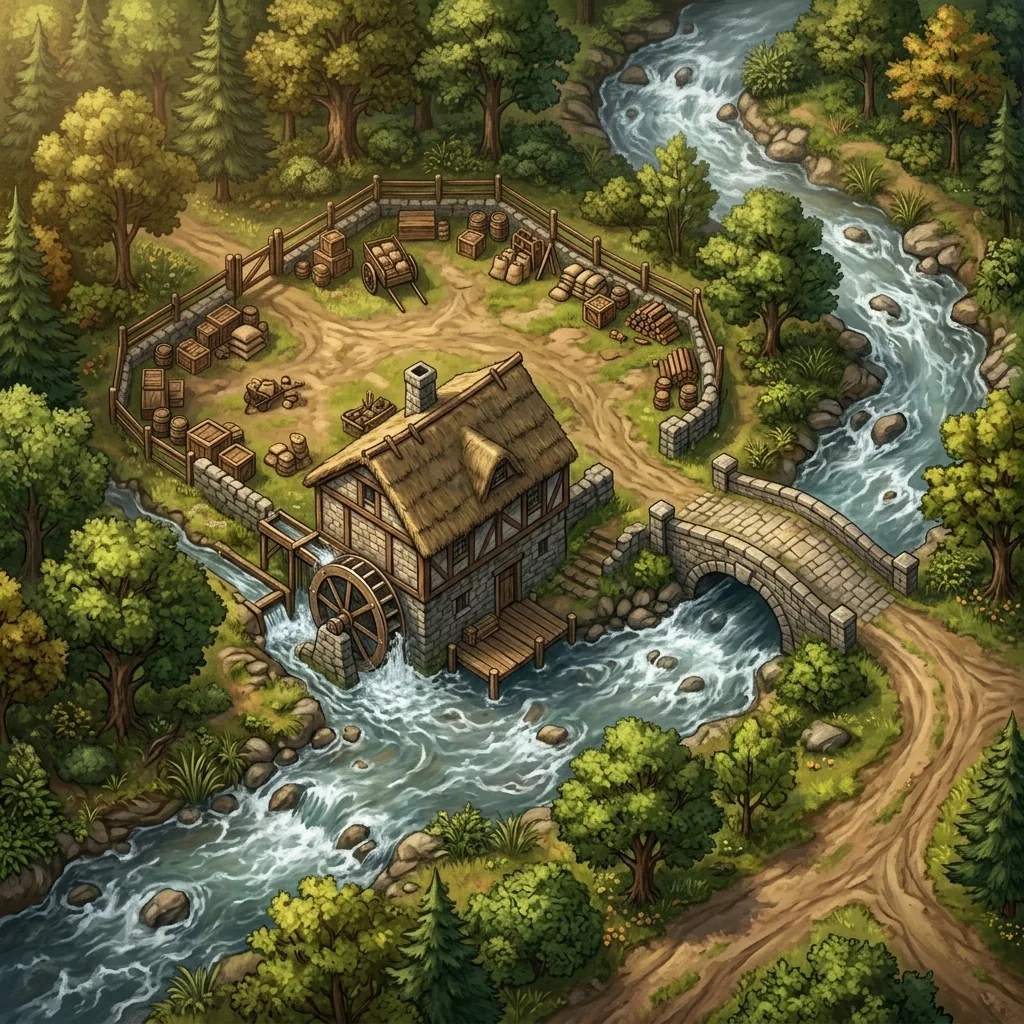
If you are searching for Dungeondraft alternatives, it is probably not because Dungeondraft let you down. Dungeondraft is one of the most beloved tools in tabletop cartography, and it earned that reputation honestly: it is a one-time purchase in a hobby drowning in subscriptions, it runs light on almost any computer, its smart wall tools take real drudgery out of drawing buildings, it gives you total creative control over every tile and shadow, and its .dd2vtt export carries walls and lighting straight into your virtual tabletop. The catch is not quality. The catch is time. A detailed Dungeondraft map is a project measured in hours, and not every Game Master has hours to give.
In this guide, we will look honestly at why GMs go hunting for alternatives to Dungeondraft, then walk through five map tools that trade some of that famous control for dramatically faster prep, from AI generation to browser editors and one-click procedural layouts.
Why GMs look for Dungeondraft alternatives
Dungeondraft rewards patience, and three specific friction points push busy GMs toward other tools.
The first is the time cost of manual asset placement. Every wall segment, floor texture, crate, cart, and candlestick on a Dungeondraft map is placed by hand. That control is the entire point of the tool, and many GMs find the process genuinely meditative. But a detailed multi-room map routinely takes hours, and a sprawling set piece can eat a whole weekend. When your party ignores the fortress you spent Saturday building and marches toward a riverside mill you never drew, Dungeondraft has no fast answer. Its floor is always a blank canvas.
The second is that Dungeondraft is desktop-only software in a hobby that has largely moved into the browser. Your virtual tabletop runs in a browser tab. Your character sheets, your campaign wiki, and your session notes all live in browser tabs. GMs increasingly prep on whatever device is at hand: a work laptop over lunch, a tablet on the couch, a Chromebook at the kitchen table. An application you must install and run on one particular machine sits awkwardly in that workflow.
The third is that managing custom asset packs quietly becomes a hobby of its own. Dungeondraft's greatest strength beyond its wall tools is its enormous ecosystem of community-made asset packs, which can restyle it for horror, science fiction, or gritty low fantasy. But somewhere around the fifteenth downloaded pack you are curating folders, hunting duplicate assets, and updating packs after each new release. The tool that was meant to save prep time has generated a small librarian job on the side. For a deeper look at how this hands-on philosophy compares with generative tools, read our Dungeondraft vs AI map generators comparison.
5 map tools that trade control for speed
Each of these Dungeondraft alternatives gives up some pixel-level control in exchange for speed, accessibility, or automation. The honest question is which trade suits the way you actually prep.
1. Text to Tabletop
Text to Tabletop is a browser-based AI battle map generator built around a simple promise: describe the scene, get a playable map in seconds. Because it runs entirely in the cloud, it works on any device with a browser, including the tablets and Chromebooks that Dungeondraft cannot reach. The generator enforces a strict 90-degree top-down perspective and strips out pre-baked grids and character tokens, so the output drops cleanly onto your VTT's native grid. You can try it on the AI battle map generator page.
Two features matter most for a Dungeondraft veteran. Area regeneration means an AI map is not a take-it-or-leave-it roll: you can select one room, one courtyard, or one treeline and regenerate just that region until it matches your vision, which restores a meaningful editing loop without manual asset placement. And like Dungeondraft, it exports .dd2vtt files, so the grid-aware import workflow you already use with your VTT survives the switch intact. The trade is real: you direct the scene with words and selections rather than placing each barrel yourself. In exchange, the map that took a Saturday now takes a coffee break.
2. Inkarnate
Inkarnate is the closest thing on this list to Dungeondraft's hands-on feel, moved into the browser. It is a web-based editor with a very large library of pre-drawn stamps and textures, and you build maps by painting terrain and placing assets much as you would in Dungeondraft. Because it runs in a browser, it works on machines you could never install desktop software on, and your projects follow you between devices.
The honest caveat is that Inkarnate is still manual placement, so the time savings over Dungeondraft are moderate rather than dramatic. You are trading away the desktop install and asset-pack management, not the hours of hand-placing. Its multiple art styles, from parchment world maps to painterly battle scenes, are a genuine draw for GMs who feel boxed in by a single aesthetic. If this style of tool appeals to you, our guide to Inkarnate alternatives maps out the neighboring options.
3. Dungeon Alchemist
Dungeon Alchemist attacks the time problem from a completely different direction: automation inside a 3D engine. You draw the outline of a room, choose a theme, and the software furnishes it automatically: tables, torches, cobwebs, and dynamic lighting appear in seconds. For furnished interiors like taverns, keeps, and crypts, it eliminates exactly the asset-placement grind that makes Dungeondraft slow.
The trade runs opposite to everything that makes Dungeondraft light. Dungeon Alchemist is a real-time 3D application that wants a gaming computer, and GMs on older laptops feel it immediately. Its rendered 3D look is also a fixed aesthetic in a way Dungeondraft's asset packs are not. If the automation appeals but the hardware demands do not, our roundup of Dungeon Alchemist alternatives covers the lighter options in depth.
4. Dungeon Scrawl
Dungeon Scrawl is free, browser-based, and startlingly fast at what it does: clean, old-school line-art dungeon layouts. Drawing rooms and corridors takes minutes, not hours, and the crisp blueprint style evokes classic published modules. For OSR campaigns, one-shots, and any table that values clarity over painterly texture, it is a superb tool at an unbeatable price.
Dungeon Scrawl is owned by Roll20, and it syncs with Roll20 directly, which makes it an especially natural pick if that is where your games already happen. The trade-off is aesthetic range: it produces stylish line art, not full-color illustrated terrain, so it replaces Dungeondraft's structural drafting far better than it replaces Dungeondraft's finished visual polish.
5. Watabou's One Page Dungeon
Watabou's One Page Dungeon is the fastest tool on this list by a wide margin: one click procedurally generates a complete dungeon skeleton of rooms, corridors, doors, and notes in your browser, for free. When the session starts in ten minutes and you need a coherent layout immediately, nothing else comes close.
The output is a stylized black-and-white blueprint rather than illustrated terrain, and you accept whatever the generator produces rather than directing it. Many GMs use it as a first draft, taking the generated skeleton and developing it in a more visual tool. For a fuller picture of where procedural generation shines and where it falls short, see our comparison of Watabou vs AI battle maps.
Keeping your VTT workflow
For many Dungeondraft users, the hardest thing to give up is not the editor. It is the .dd2vtt export that carries walls and lighting into the virtual tabletop automatically. The good news is that switching tools does not mean returning to the stone age. Most modern VTTs now include quick wall tools, and tracing line-of-sight barriers over a finished map typically takes a few minutes, not the hour it once did.
Better still, some alternatives speak the same format. Text to Tabletop exports .dd2vtt files directly, so grid alignment travels with the map and your import routine does not change at all. Whichever tool you land on, the wall-drawing step is a small tax next to the hours saved on the map itself.
Picking the right replacement
The right Dungeondraft alternative depends on which friction point drove you here. If the hours of asset placement are the problem and you want custom, editable maps in seconds on any device, Text to Tabletop is the strongest answer. If you love the hands-on craft and only want to escape the desktop install, Inkarnate keeps you painting in a browser. If you want interiors furnished for you and own the hardware to run it, Dungeon Alchemist automates beautifully. If you need fast, free, old-school layouts, especially inside Roll20, Dungeon Scrawl is a gift. And when you need a dungeon skeleton this instant, Watabou remains unbeatable.
Dungeondraft will keep its place in many GMs' toolkits, and it deserves it. But if your prep time is the resource you are running out of, describe your next scene instead of drawing it: sign up for the Text to Tabletop app today and start generating custom maps in seconds.
Tyler V
Lead Developer and UX Designer at Text to Tabletop. Passionate about helping GMs and players create better TTRPG experiences.
Ready to Forge Your Next Battle Map?
Describe the encounter and get a grid-aligned, top-down battle map in seconds — then regenerate any area until it matches your vision.
Generate Your First Map Free3 free map tokens · no credit card required