Dungeon Alchemist Alternatives: 5 Faster Map Tools
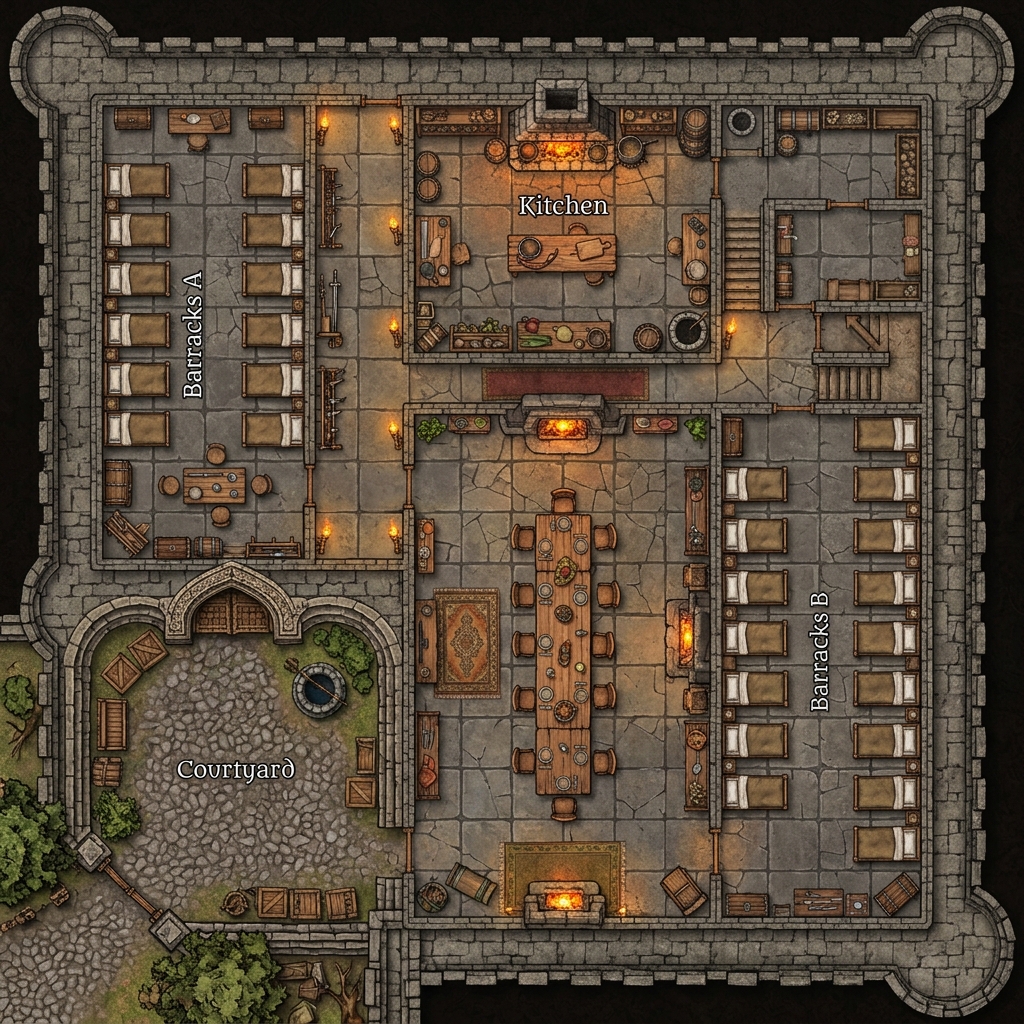
If you are searching for dungeon alchemist alternatives to speed up your session prep, you are not alone. Dungeon Alchemist has taken the tabletop RPG world by storm with its impressive 3D AI-assisted room generation. By drawing a simple box, Game Masters can instantly furnish a tavern room, a castle dungeon, or a wizard laboratory. It is an impressive technological achievement that creates visually striking environments. However, the software comes with a significant cost in terms of system resources. Because it relies on a heavy 3D engine, running it requires a relatively powerful gaming computer. GMs on older laptops, Macbooks, or Chromebooks frequently run into stuttering, long load times, and system crashes. Fortunately, several excellent dungeon alchemist alternatives exist that do not require high-end computer hardware.
If you are looking for alternatives to dungeon alchemist that let you prep sessions quickly without turning your computer into a space heater, you have several great options. In this guide, we will break down why GMs seek these dungeon alchemist alternatives and highlight five faster, lighter map-making tools that will streamline your preparation.
Why GMs Look for Dungeon Alchemist Alternatives
While the automated furnishing features of Dungeon Alchemist are highly convenient, GMs face three main friction points that drive them to seek other tools.
The first issue is the hardware load. Dungeon Alchemist is essentially a modern 3D video game engine. It performs real-time lighting calculations, shadow rendering, and high-fidelity physics simulation. For a GM preparing a session on their laptop, this is highly impractical. The software drains battery life rapidly and causes computer fans to spin at maximum volume. If you run your virtual tabletop on the same computer during a live game session, the hardware strain can make your entire computer sluggish.
The second issue is the locked art style. Dungeon Alchemist maps have a very specific look. The 3D assets are rendered with clean, semi-realistic textures that resemble modern video games. While this is perfect for high-fantasy campaigns, it does not fit every game. If you are running a gritty tabletop RPG, a modern investigation, or a science fiction scenario, adapting the library is difficult. You are locked into the 3D aesthetic, which makes it hard to evoke different atmospheric styles like hand-drawn ink or classic watercolors.
Finally, the grid rigidity makes organic shapes difficult. Because Dungeon Alchemist is built on a strict grid structure to automate room layouts, creating natural, organic environments is tough. Drawing curved cavern walls, irregular forest paths, or winding riverbeds often feels like fighting the tool rather than collaborating with it. GMs who want to design complex, asymmetrical wilderness environments often find themselves frustrated by the system's structural constraints.
5 Lighter Faster Map Tools
If you want to create beautiful maps without the hardware overhead, these five dungeon alchemist alternatives provide a range of speed, control, and accessibility features.
1. Text to Tabletop
Text to Tabletop is a web-based, AI-native battle map generator designed specifically to minimize prep time. Unlike 3D editors, the software runs entirely in the cloud, meaning you can generate high-resolution maps on any device, including tablets and older laptops. You simply type a description of your scene, and the generator creates a detailed layout in seconds.
To make these outputs playable, the generator enforces a strict 90-degree overhead perspective and automatically strips out pre-baked grids and static character tokens. It supports any visual style, from classic ink sketches to high-contrast sci-fi decks. You can try the Text to Tabletop app to build custom maps on the fly during your sessions.
2. Inkarnate
Inkarnate is a highly popular web-based map creator that runs smoothly in standard web browsers. Because it uses 2D assets rather than rendering active 3D models, its hardware requirements are much lower than Dungeon Alchemist. GMs can paint beautiful world maps, regional hex crawls, and detailed tactical layouts using a massive library of pre-drawn stamps.
While it does require manual asset placement, the user interface is intuitive and responsive. It offers several distinct art styles, allowing you to create parchment maps, watercolor battlegrounds, or modern sci-fi grids. GMs looking for similar web editors can read our guide on Inkarnate alternatives to see how it compares to other hand-crafted tools.
3. Dungeondraft
Dungeondraft is a downloadable desktop application that provides a lightweight, focused canvas for 2D cartography. It operates on a one-time purchase model, freeing you from monthly subscriptions. Its smart wall-drawing tools and custom asset import options make it a favorite for GMs who want absolute control over their maps.
Because it renders flat 2D sprites, Dungeondraft runs efficiently on almost any computer. It does not require a dedicated graphics card, and its file export options are highly flexible. It is ideal if you enjoy building detailed, custom dungeons by hand without the performance lag of a 3D engine.
4. Owlbear Rodeo Maps
Owlbear Rodeo is a lightweight, browser-based virtual tabletop that includes basic map-drawing tools. Instead of using complex software, you can combine Owlbear's simple brush tools with external map assets. This allows you to construct functional layouts in minutes.
The platform is designed to be as fast as possible. By importing simple background textures and dragging structural shapes onto the screen, you can create functional tactical spaces during play. It is the ultimate tool for GMs who prioritize speed and simplicity over complex visual rendering.
5. Watabou's One Page Dungeon
If you need a dungeon layout instantly, Watabou's One Page Dungeon is a legendary free browser tool. With a single click, it procedurally generates a complete classic dungeon blueprint, including rooms, corridors, doors, and key room descriptions.
The tool does not render color textures or atmospheric lighting. Instead, it provides clean, classic line-art layouts that are perfect for theater-of-the-mind play or quick offline printing. It represents the absolute fastest way to obtain a dungeon skeleton for a session.
If You Need Line-of-Sight Walls
One of the biggest selling points of Dungeon Alchemist is its ability to export line-of-sight walls and doors directly to virtual tabletops. This feature saves GMs from manually drawing collision lines in their VTT campaigns.
If you switch to a lighter alternative, you can still maintain an efficient workflow. Most modern virtual tabletops feature quick-wall tools that allow you to draw barriers in minutes. By generating high-quality art with an AI tool and importing it, you can quickly draw your own walls using your VTT's built-in vector tools. While this adds a small step to your preparation, the massive savings in software load and visual versatility more than make up for the effort.
Picking the Right Replacement
Choosing the best dungeon alchemist alternatives depends on your primary bottleneck. If your biggest constraint is time and you need custom maps in seconds on any device, Text to Tabletop is the clear winner. If you prefer painting regional maps and battle scenes by hand in a browser, Inkarnate is highly capable. For downloadable, offline 2D precision, Dungeondraft is the community favorite. If you need absolute simplicity during a live session, Owlbear Rodeo fits perfectly. Finally, if you need an instant classic dungeon layout, Watabou is your best resource. If price is your main constraint, our best free AI map generators roundup covers the no-cost options in depth.
By finding a tool that matches your computer's performance, you can spend less time waiting for software to load and more time crafting adventures. If you want to see how these different workflows stack up, read our comprehensive battle map maker comparison guide.
To experience the power of instant, browser-based battle map creation without any hardware lag, sign up for the Text to Tabletop app today and start generating custom maps in seconds.
Tyler V
Lead Developer and UX Designer at Text to Tabletop. Passionate about helping GMs and players create better TTRPG experiences.
Ready to Forge Your Next Battle Map?
Describe the encounter and get a grid-aligned, top-down battle map in seconds, then regenerate any area until it matches your vision.
Generate Your First Map Free3 free map tokens · no credit card required