New AI Battle Map Generators of 2026: ZapGM, TT-RPG, and BattlemapAI Reviewed
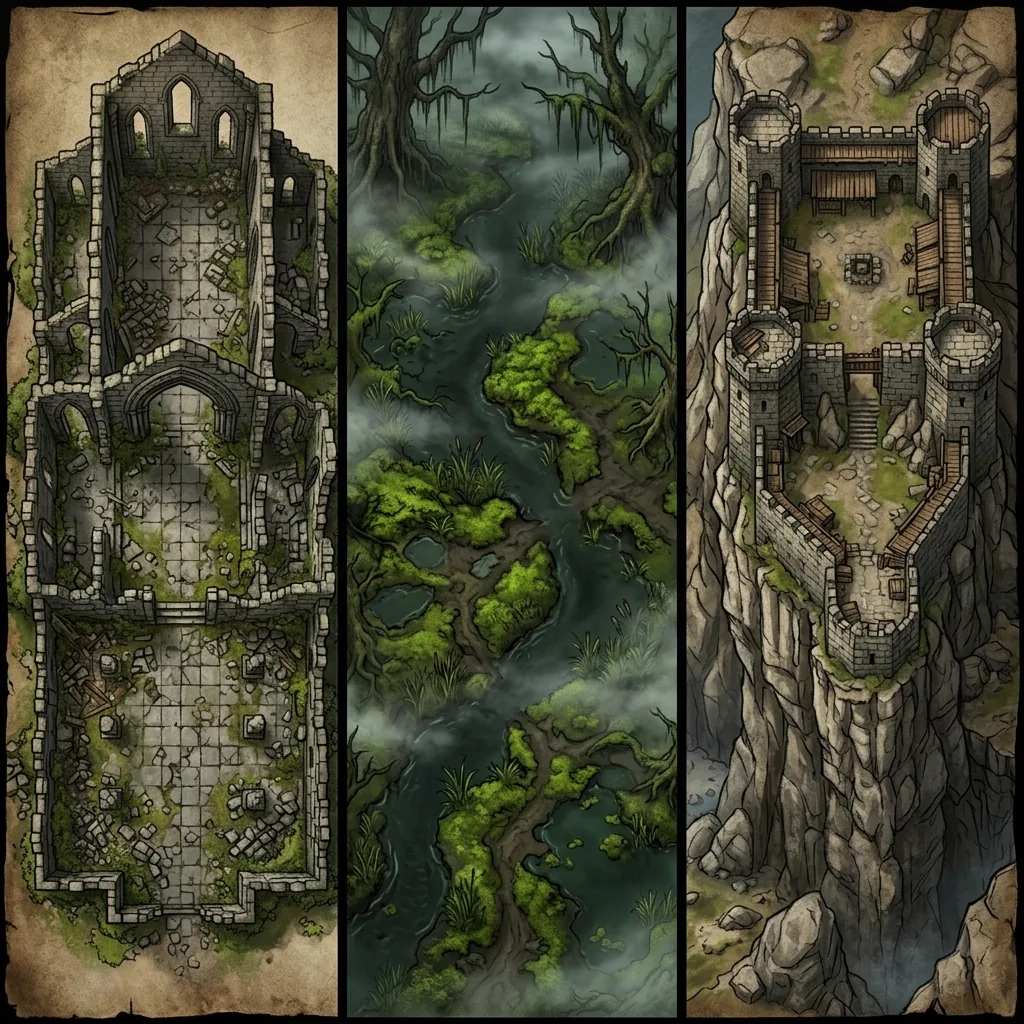
A wave of new AI battle map generators has arrived in 2026, and if you are trying to work out whether any of them deserve a place in your prep routine, you are not alone. ZapGM Cartographer left early access in June, TT-RPG opened its doors with a prompt-and-paint approach, and BattlemapAI is handing out free maps to anyone curious enough to try. This is genuinely good news for Game Masters. More tools entering the space means more competition, and more competition means better maps, better editors, and better prices for everyone at the table. It also means more marketing pages to squint at while you try to figure out what each product actually does.
Nobody has given these newcomers a proper look yet, so consider this our honest first review. In this guide, we will break down what ZapGM Cartographer, TT-RPG, and BattlemapAI actually are, which kind of GM each one suits, the questions you should ask of any new AI battle map generator in 2026 before trusting it with your campaign, and how the established options compare.
ZapGM Cartographer: a map library with AI editing
The first thing to understand about ZapGM Cartographer is that it is not a pure text-to-map generator, and it does not pretend to be. It exited early access in June 2026 as part of a broader GM suite that includes its own virtual tabletop features, and the map side of the product is built around a library of more than 60 premade maps combined with AI inpainting and editing. Instead of typing a scene description and receiving a fresh map from nothing, you start from an existing map in the library and use the AI tools to reshape it: adjusting a section, changing a detail, bending a stock scene toward your specific encounter.
For the right GM, that is a sensible design. A curated library gives you a consistent, playable baseline on day one, and inpainting lets you customize without starting from a blank canvas. The export support is also a genuine strength for such a new product: Universal VTT, Roll20, and Foundry formats are all covered, which means your maps can move into your virtual tabletop without conversion headaches. The limitation is the flip side of the same design. If your encounter does not resemble anything in the library, perhaps a bioluminescent fungal shrine rather than another forest clearing, a library-first tool can only stretch so far. ZapGM Cartographer suits GMs who are interested in its wider suite and want capable maps inside it, more than GMs shopping for a dedicated generator.
TT-RPG: prompt or paint, then refine
TT-RPG, found at tt-rpg.app, is the newcomer closest in spirit to a true AI battle map generator. You can type a prompt, or you can paint a rough layout of the scene you have in your head and let the AI develop it into a finished map. The standout feature is spot refinement: when one part of a generated map is wrong, you can regenerate just that part instead of rerolling the whole image and hoping the dice land better this time.
We will be candid: seeing spot refinement appear in a brand-new tool is validating, because it is the same conclusion we reached when building our own area-regeneration editor. A battle map you cannot fix is a slot machine, not a tool, and the entire field is now converging on editable AI maps. That is exactly the direction it should go. TT-RPG is still a young product, and young products come with the usual honest caveats about polish, output consistency, and long-term support. But the core ideas are right, the paint-a-layout input is a clever way to give GMs spatial control, and it is absolutely one to watch.
BattlemapAI: the lowest-risk way to test AI maps
BattlemapAI is the simplest of the three to evaluate, because evaluating it costs nothing: the product offers three free AI-generated battle maps with no credit card required. That is a good trial policy, and we say that as a competitor with a similar one. Gallery images on a landing page tell you very little; a free trial that lets you generate real maps of your own scenes is the only honest way for a new generator to earn a GM's trust.
Like TT-RPG, BattlemapAI is young, so we will describe it cautiously rather than confidently. The smart way to spend those three free maps is the same advice we give for any new generator: do not burn them on a generic test prompt. Generate the actual scenes you need for your next session, such as the roadside shrine, the flooded cellar, or the rooftop chase, and judge the results under real tokens at a real table. Three maps is enough to learn whether the perspective, style, and level of detail suit your game.
Five questions to ask any new AI map tool
New map tools always launch with beautiful galleries, and galleries are the least useful evidence available. Before you commit your prep routine or your money to any newcomer, ask these five questions.
- Is the output truly top-down? AI image models naturally drift toward cinematic three-quarter angles, and a battle map with perspective drift never sits right under miniatures or tokens.
- How does it handle grids? Grids baked into AI images are usually warped or inconsistent. You want clean, gridless output that you can align to your VTT's native grid instead.
- Can you fix one area without rerolling everything? Regenerating a whole map to fix one bad room means losing the three rooms you loved. Spot editing is fast becoming the feature that separates tools from toys.
- What does it export? A plain image works everywhere, but Universal VTT support saves you from tracing walls and grid alignment by hand.
- What happens to your maps if the product shuts down? Young products sometimes fail; that is no insult, just reality. Download full-resolution copies of every map you plan to reuse, immediately. A map that lives only in someone else's cloud is a map you can lose.
How the newcomers compare to the established field
Those five questions are also a fair way to describe our own AI battle map generator, because Text to Tabletop was designed around them: it enforces a strict 90-degree top-down perspective, strips out pre-baked grids and character tokens, lets you select any area of a finished map and regenerate just that region, exports both PNG and .dd2vtt files, and runs entirely in the browser on any device. New users get 3 free tokens, so you can compare it against the newcomers without spending anything on either side.
For the wider field, our best tabletop RPG map generator roundup covers the established asset editors and procedural engines these new tools are competing against. If budget is your binding constraint, our best free AI map generators guide ranks the no-cost options, and BattlemapAI's three free maps now belong in that conversation. And if you are weighing a dedicated battle map tool against an all-in-one platform, our Text to Tabletop vs FantasyGen comparison explains how we think about depth versus breadth. For a hands-on test of the whole field with current prices, see our best AI battlemap generators of 2026.
A good year to be a Game Master
Whatever you make of each individual newcomer, the overall picture is encouraging. Three new products in one year means the AI battle map space is healthy, and the pattern across all three is telling: curated content plus editing in ZapGM Cartographer, spot refinement in TT-RPG, and a no-risk trial in BattlemapAI. Editable maps and honest trials are becoming the standard, which is precisely what GMs should want. Try the free tiers, ask the five questions, and keep local copies of everything you generate.
And if you want a generator that already answers all five, with a top-down lock, clean gridless output, area regeneration, and .dd2vtt export straight from your browser, sign up for the Text to Tabletop app today and start generating custom maps in seconds.
Tyler V
Lead Developer and UX Designer at Text to Tabletop. Passionate about helping GMs and players create better TTRPG experiences.
Ready to Forge Your Next Battle Map?
Describe the encounter and get a grid-aligned, top-down battle map in seconds, then regenerate any area until it matches your vision.
Generate Your First Map Free3 free map tokens · no credit card required